Top 5 color palette from image tools in 2026
Ranked look at five color palette from image tools—Mewix first for manual pickers and private browser sampling, then Adobe Color, ColorFetcher, Swatchery, and Atmos.
By Mewix · October 20, 2026 · 5 min read
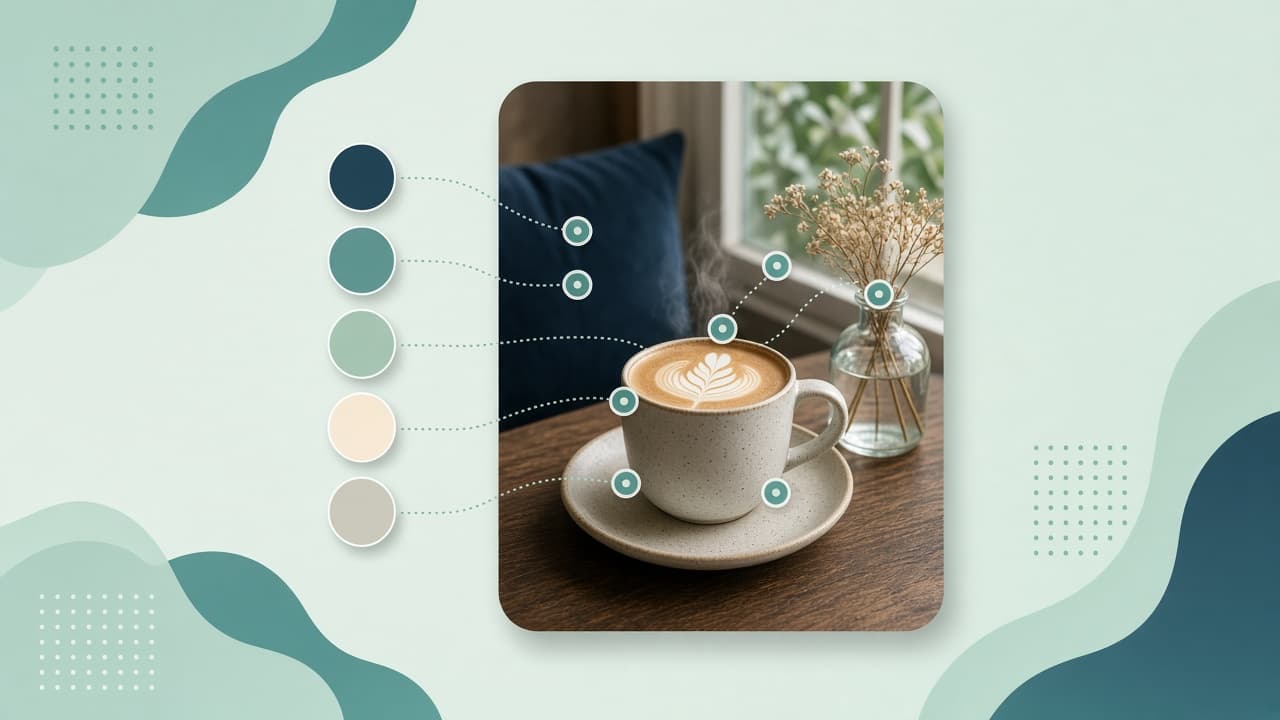
A color palette from an image turns a photo, product shot, or logo into HEX values you can ship in CSS or Figma. Automatic “dominant color” tools are fast—and they often miss the small accent that actually carries the brand.
This list ranks five tools people use in 2026. The ranking favors browser access, honest privacy (image not uploaded when that matters), a usable free path, and control over which colors land in the palette. Ecosystem tools (Adobe libraries, design-system suites) still matter; they sit lower when the brief is “sample this photo privately and copy HEX.”
How we ranked (criteria)
| Criteria | Why it matters |
|---|---|
| Control of samples | Manual pickers beat a black-box cluster for brand work |
| No upload / privacy | Unreleased campaign art should stay local |
| Free usable export | HEX / CSS you can paste without a paywall |
| Export formats | HEX list, CSS variables, design-tool exports |
| Follow-on tools | Contrast check and palette harmonies after extract |
| Install friction | Browser beats desktop for a five-minute moodboard |
| Tool | Install | Sampling style | No upload default | Free core path | Best for |
|---|---|---|---|---|---|
| 1. Mewix | Browser | Manual draggable pickers | Yes | Yes | Brand-accurate private samples |
| 2. Adobe Color | Browser | Auto + refine in Adobe | Upload / Adobe account flow | Free extract | Adobe ecosystem |
| 3. ColorFetcher | Browser | Auto + eyedropper | Check live terms | Yes (no signup pitch) | Fast auto + export variety |
| 4. Swatchery | Browser | Auto extract, tunable count | Claims local | Yes | Many export formats |
| 5. Atmos | Browser | Auto + pixel pick | Claims local | Free tool + account upsell | Moods + design system path |
#1 — Mewix (best manual, private palette from image)
Mewix Colors from image ranks first for this brief because you place the pickers—you are not stuck with three shades of sky while the terracotta accent is ignored. Sampling runs on a local canvas; the image is not uploaded for the core tool.
What you get
- Palette from image with 2–10 draggable pickers (5 by default)
- Each sample averages a small square (noise-resistant) instead of a single noisy pixel
- Shuffle for random starts; arrow keys for fine nudges
- Copy HEX / RGB / HSL; export HEX list or CSS variables
- Follow-on: palette generator, picker, contrast checker
- Private by design—client logos and unreleased stills stay in the tab
Where it fits
Use Mewix when the deliverable is a real brand strip from a photo or logo, especially under NDA. Full walkthrough: Color palette from a photo.
Honest limits
Mewix does not auto-cluster 30 colors into a PDF brand book. Transparent PNG pixels read as black—aim pickers inside opaque fills. HEIC often needs HEIC to JPG outside Safari first. For one exact pixel with no averaging, use the color picker.
Practical workflow
- Open Colors from image.
- Drop a photo or logo.
- Drag pickers onto background, surface, text, and accent roles.
- Export HEX or CSS variables.
- Lock a hero color in palette; check text pairs in contrast.
#2 — Adobe Color (best if you live in Adobe)
Adobe Color’s image palette generator ranks second for teams already in Creative Cloud: upload or choose a photo, refine swatches, and keep palettes in the Adobe library.
Strengths: polished UI; library sync across Adobe apps; familiar for designers.
Trade-offs: image goes through Adobe’s product flow; account gravity; less ideal when the brief is “never leave this laptop.”
When to pick Adobe Color: the palette must live next to Illustrator / Express anyway.
#3 — ColorFetcher (fast auto extract + exports)
ColorFetcher ranks third for speed: drop an image, get a palette, optional eyedropper and harmony modes, exports toward CSS / Tailwind / SCSS / PDF-style outputs.
Strengths: no-signup pitch; rich export targets; auto + pick hybrid.
Trade-offs: auto extract can still miss tiny accents—verify before locking a brand; confirm privacy behavior for confidential art.
When to pick ColorFetcher: you want automatic dominant colors fast and will refine by eye.
#4 — Swatchery (export-format breadth)
Swatchery ranks fourth for creators who need many palette export formats (creative-tool swatches) and tunable color counts, with local-processing claims.
Strengths: 2–30 color range framing; many export formats; privacy messaging.
Trade-offs: auto clustering still needs human review for brand accents; product surface may be heavier than a five-picker tool.
When to pick Swatchery: you need a specific export format for Procreate / Adobe swatches more than manual placement.
#5 — Atmos (moods and design-system path)
Atmos’s image color picker closes the list: local-processing claims, moods (vibrant, muted, etc.), pixel pick, and a path into broader Atmos design-system features.
Strengths: moods for different extract biases; pixel-accurate pick; upgrade path into shade scales / Figma-oriented workflows.
Trade-offs: account upsell for the wider suite; overkill if you only need five HEX values for a landing page.
When to pick Atmos: you want extract → full UI scale in one ecosystem.
Decision guide
| Brief | Prefer |
|---|---|
| Private photo/logo, you choose the samples | Mewix |
| Palettes must sync into Adobe apps | Adobe Color |
| Fast auto palette + many code exports | ColorFetcher |
| Niche creative-tool swatch exports | Swatchery |
| Moods + design-system follow-on | Atmos |
Bottom line
For a color palette from an image you actually intended—manual pickers, free HEX/CSS, no upload—start with Mewix. Use Adobe when the library must live in Creative Cloud. Reach for ColorFetcher, Swatchery, or Atmos when auto extract or special exports matter more than placing every sample yourself.
CTA: Extract a color palette from your image—private, in the browser.